

Currently Empty: ₹0.00



Uncategorized
OSI Model: 7 Essential Layers of Computer Networking Explained Simply
When you open a website, send a message, or stream a video, a huge amount of work happens behind the scenes. Your data is broken into pieces, addressed, sent across cables or radio waves, passed through many devices, and rebuilt on the other side in a fraction of a second. How do so many different devices and programs from different companies manage to cooperate? The answer is a shared set of rules, and one of the best ways to understand those rules is the OSI model.
The OSI model, short for Open Systems Interconnection, is a framework that explains how data moves from one computer to another. It splits the whole process into seven layers, and each layer has one clear job. Students use it to learn networking, engineers use it to design and fix networks, and security teams use it to decide where to place their defences.
This guide covers all about OSI model concepts in simple language. We cover what each of the 7 layers of OSI does, how data travels through them, and how the layers apply to cyber security, firewalls, and cloud platforms such as AWS. By the end, you will be able to explain the model with confidence and use it to understand almost any networking topic.
Table of Contents
What Is the OSI Model?
The OSI model is a conceptual framework created by the International Organization for Standardization (ISO) in the late 1970s and early 1980s. Its purpose was to give vendors and engineers a common language for network communication, so that products from different manufacturers could work together.
The key idea is layering. Instead of treating communication as one giant, tangled task, the model divides it into seven smaller stages. Each layer does its own job, talks to the layer directly above and below it, and does not need to know how the other layers work inside.
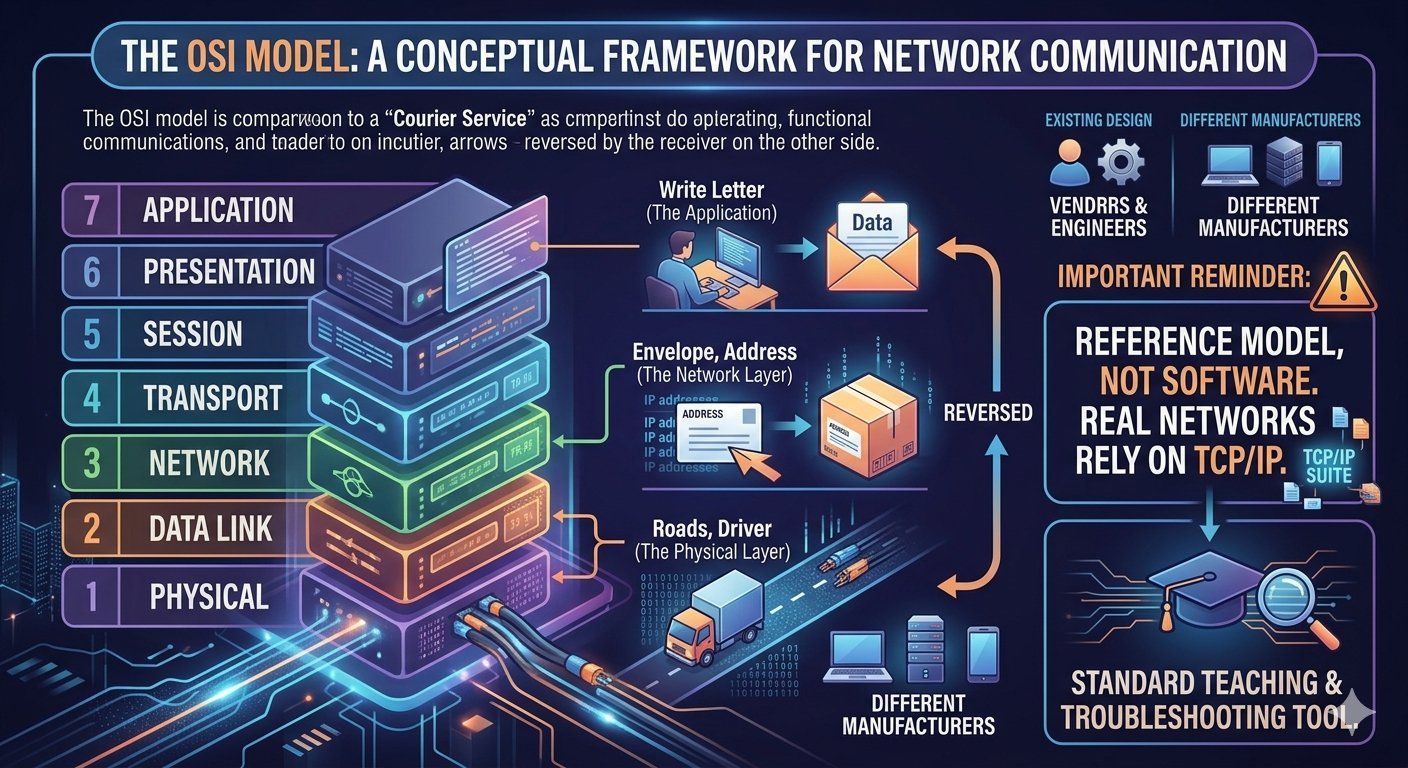
A good way to picture this is a courier service. You write a letter (the application), put it in an envelope and write an address (the network layer), a driver picks it up and carries it along roads (the physical layer), and the receiver reverses the process. Nobody in the chain needs to understand every other step. They only need to do their own job well.
It is important to remember that the OSI model is a reference model, not a piece of software or a protocol you can install. However, the OSI model remains the standard teaching and troubleshooting tool because it describes network functions so clearly.
Why the OSI Model Matters
You might wonder why a model from the 1980s still appears in every networking course and certification exam. There are several strong reasons:
- Common language: engineers can say “this is a Layer 3 problem” and everyone knows what that means.
- Easier learning: breaking a complex system into seven small parts makes it far less intimidating.
- Better troubleshooting: you can test layer by layer to find where a fault lies.
- Interoperability: products built around the same layered ideas can work together.
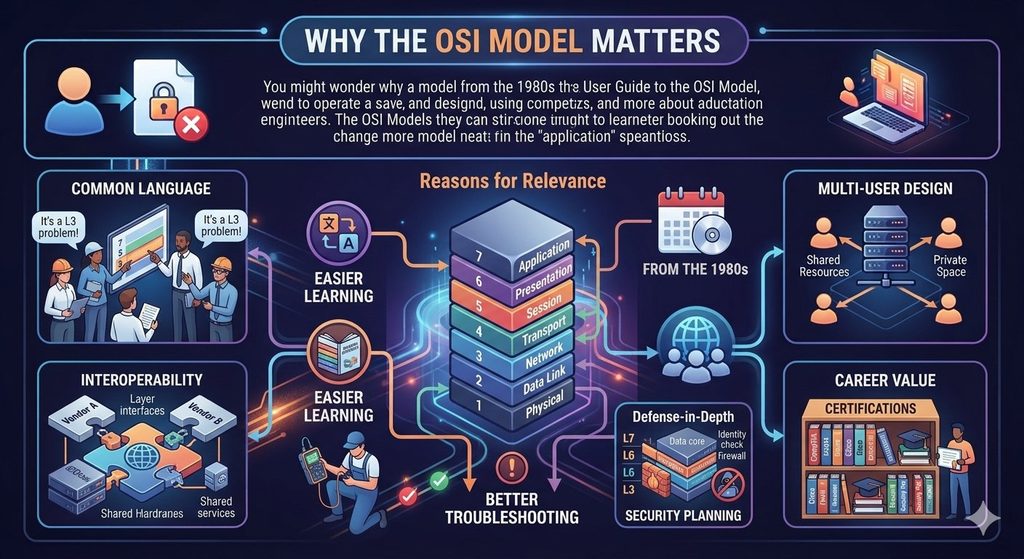
- Security planning: knowing which layer an attack targets helps you choose the right defence.
- Career value: the OSI model is a core topic in computer science courses and in networking and security certifications.
In short, the OSI model turns the invisible world of networking into something you can think about step by step.
All About the 7 Layers of OSI at a Glance
Before going deep, here is a quick overview of the OSI layers, listed from the bottom (Layer 1) to the top (Layer 7). The last column shows the unit of data, known as the protocol data unit, that each layer works with.
| Layer | Name | Main job | Example protocols or devices | Data unit |
|---|---|---|---|---|
| 7 | Application | Gives network services to user programs | HTTP, HTTPS, DNS, SMTP, FTP | Data |
| 6 | Presentation | Translates, encrypts, and compresses data | TLS/SSL, JPEG, ASCII | Data |
| 5 | Session | Opens, manages, and closes sessions | NetBIOS, RPC | Data |
| 4 | Transport | Reliable or fast delivery between programs | TCP, UDP | Segment / datagram |
| 3 | Network | Addressing and routing between networks | IP, ICMP, routers | Packet |
| 2 | Data Link | Delivery between devices on the same network | Ethernet, MAC address, switches | Frame |
| 1 | Physical | Sends raw bits as signals | Cables, Wi-Fi, hubs | Bits |
Two popular memory tricks help you remember the order. From Layer 7 down to Layer 1: “All People Seem To Need Data Processing.” From Layer 1 up to Layer 7: “Please Do Not Throw Sausage Pizza Away.” Learning the 7 layer of OSI in this order makes every later topic easier.
Layer 1: Physical Layer
The physical layer is the foundation of the whole stack. It is responsible for sending raw bits (zeros and ones) across a physical medium. That medium could be copper cables, fibre-optic strands, or radio waves in the case of Wi-Fi and Bluetooth.
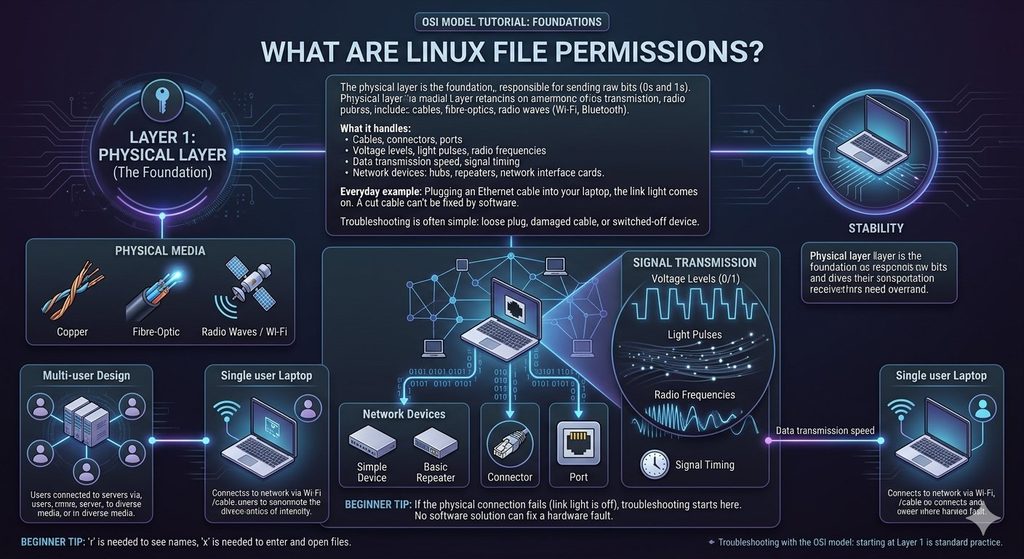
What it handles:
- Cables, connectors, and ports
- Voltage levels, light pulses, and radio frequencies
- Data transmission speed and signal timing
- Network devices such as hubs, repeaters, and network interface cards
Everyday example: when you plug an Ethernet cable into your laptop and the link light comes on, the physical layer is working. If the cable is cut, no software fix can help.
A physical-layer problem is usually obvious and often simple to solve: a loose plug, a damaged cable, or a switched-off router. This is why troubleshooting with the OSI model always starts here.
Layer 2: Data Link Layer
The data link layer of the OSI model moves data between two devices that are directly connected on the same local network. It takes the raw bits from Layer 1, groups them into units called frames, and checks them for errors.
Key functions:
- MAC addressing: every network card has a unique hardware address called a MAC address. Layer 2 uses it to deliver frames to the correct device on the local network.
- Error detection: frames carry a check value so the receiver can spot damage during transmission.
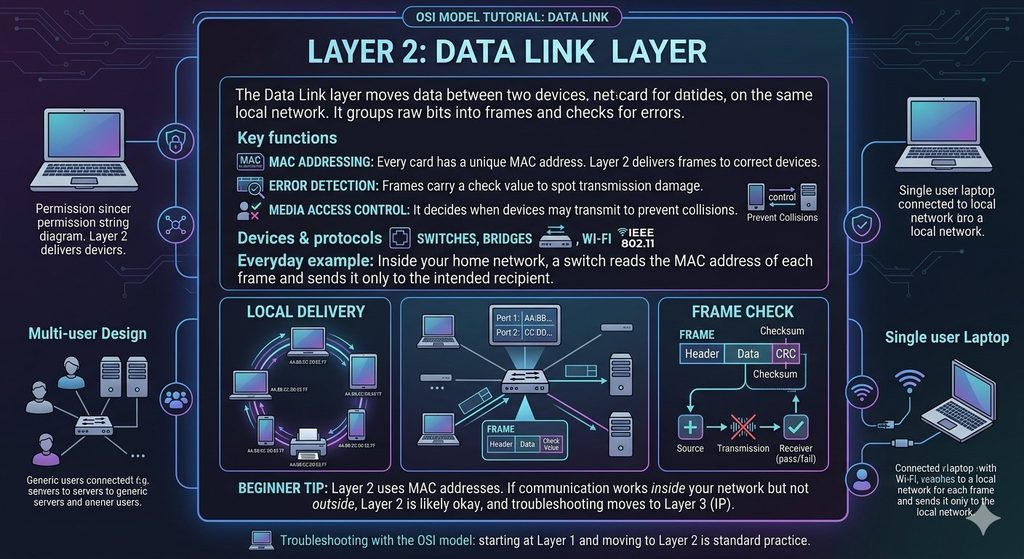
- Media access control: it decides which device may transmit and when, so that devices do not talk over one another.
Devices and protocols: switches, bridges, Ethernet, and Wi-Fi (IEEE 802.11) operate here.
Everyday example: inside your home or office network, a switch reads the MAC address on each frame and sends it only to the device it is meant for.
Layer 3: Network Layer
The network layer connects different networks together. Its two main jobs are logical addressing and routing. Where Layer 2 delivers data inside one local network, Layer 3 delivers it across many networks, which is what makes the internet possible and makes this one of the most important parts of the OSI model.
Key functions:
- IP addressing: every device gets a logical address, such as an IPv4 or IPv6 address.
- Routing: routers examine the destination IP address and choose the best path for each packet.
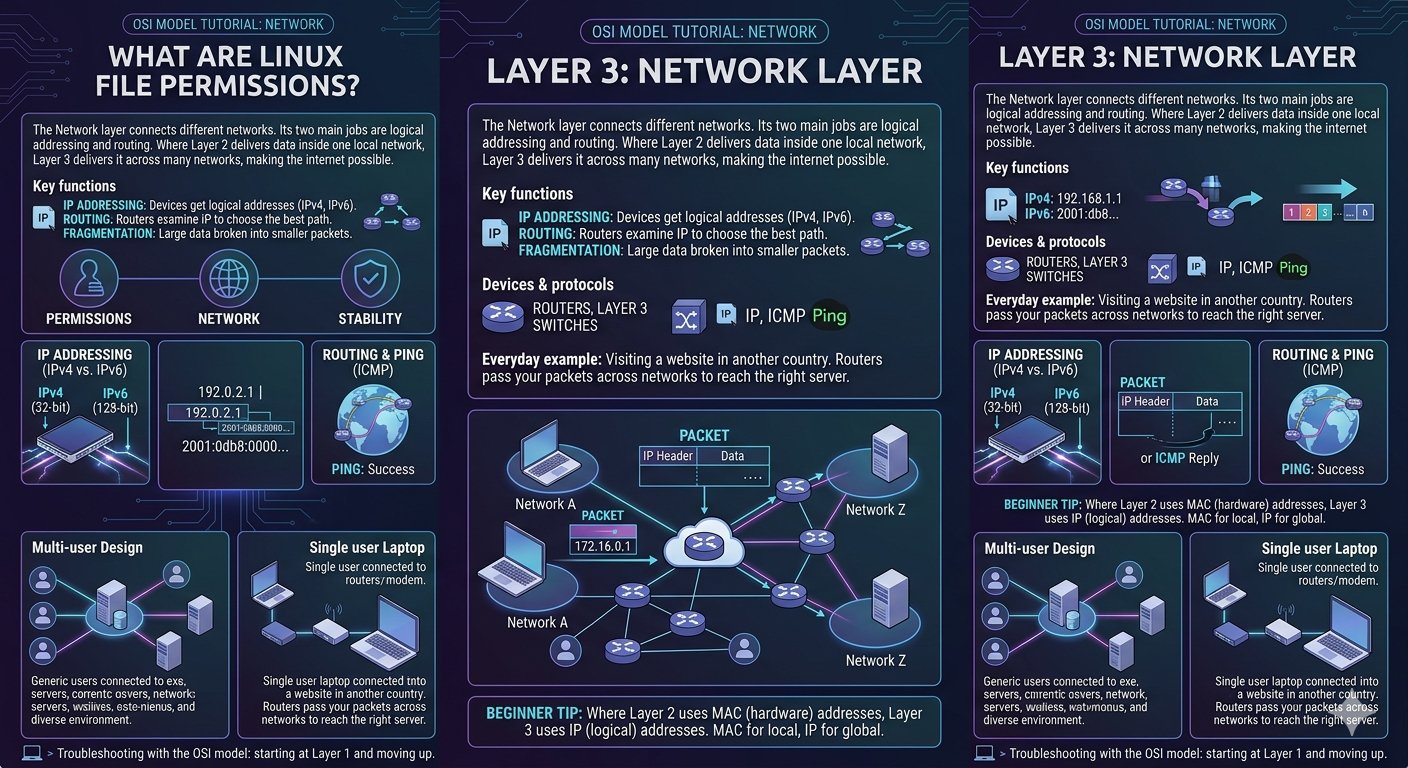
- Fragmentation: large pieces of data can be broken into smaller packets if needed.
Devices and protocols: routers, Layer 3 switches, IP, and ICMP, the protocol behind the familiar “ping” tool.
Everyday example: when you visit a website hosted in another country, routers along the way pass your packets from network to network until they reach the right server.
Layer 4: Transport Layer
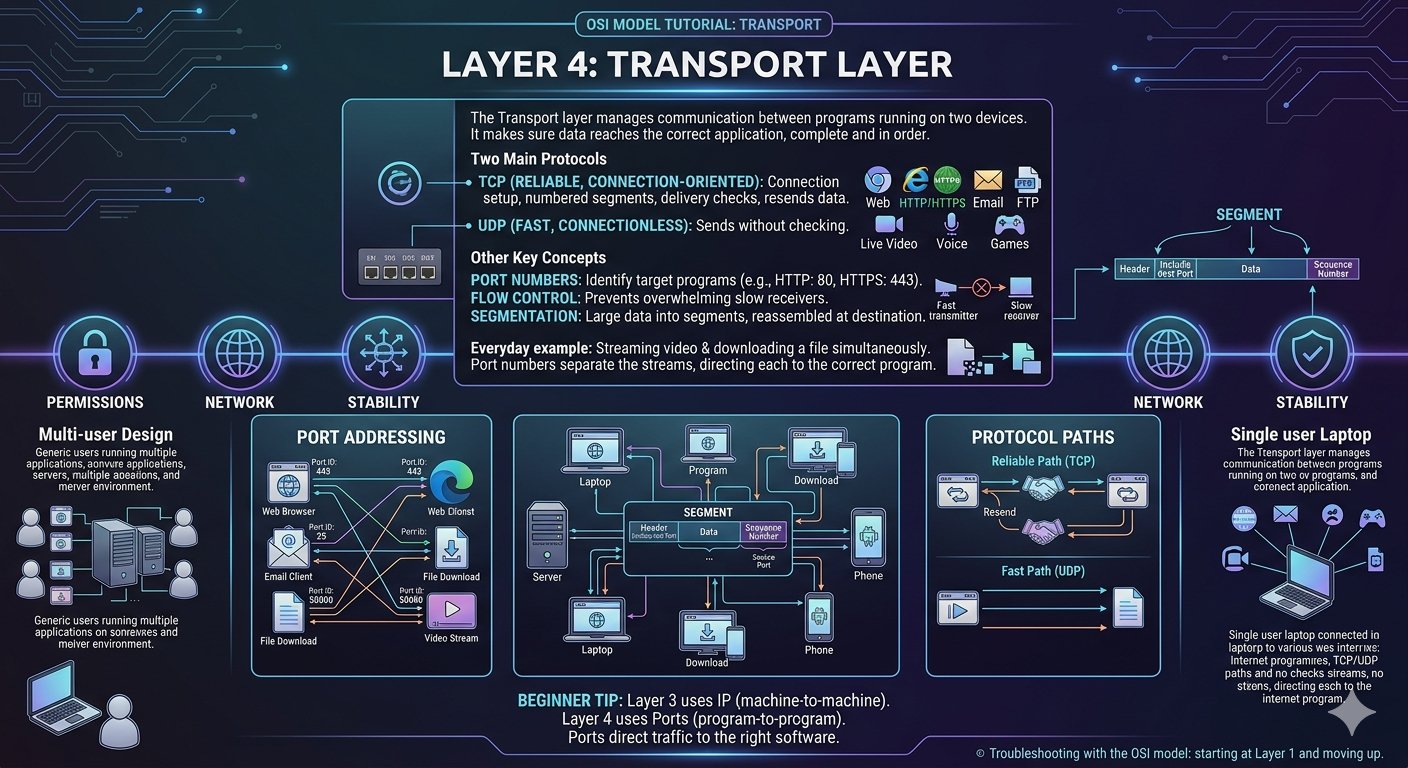
The transport layer manages communication between programs running on two devices. It makes sure that data reaches the correct application and, if needed, that it arrives complete and in order.
The two main protocols:
- TCP (Transmission Control Protocol): reliable and connection-oriented. It sets up a connection, numbers the data, checks that everything arrived, and resends anything lost. Web browsing, email, and file transfer use it.
- UDP (User Datagram Protocol): fast and connectionless. It sends data without checking delivery, which suits live video, voice calls, and online games where speed matters more than perfection.
Other key concepts:
- Port numbers: they identify the target program. For example, web traffic uses port 80 for HTTP and port 443 for HTTPS.
- Flow control: prevents a fast sender from overwhelming a slow receiver.
- Segmentation: large data is divided into segments and reassembled at the destination.
Everyday example: while you stream a video and download a file at the same time, port numbers keep the two streams separate so each goes to the right program.
Layer 5: Session Layer
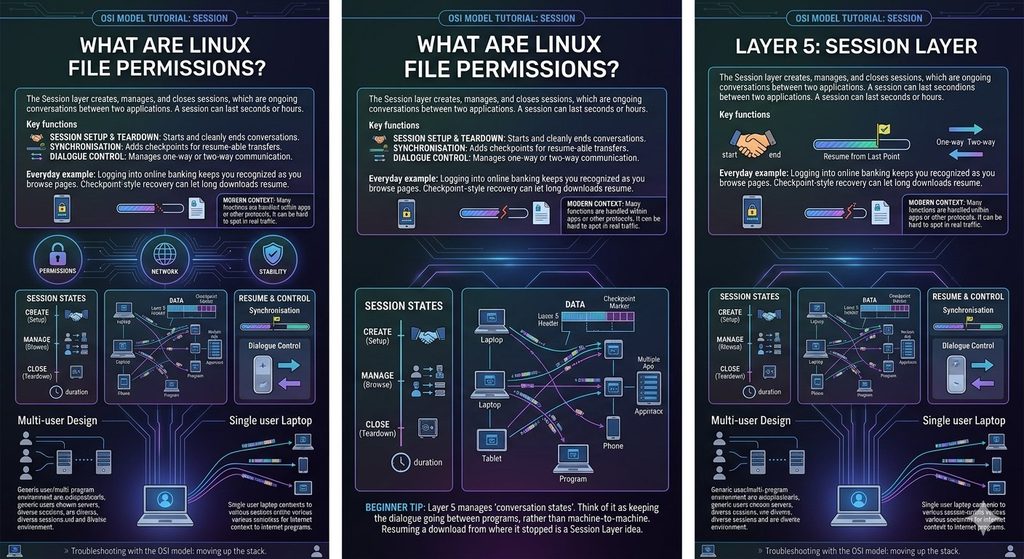
The session layer creates, manages, and closes sessions, which are ongoing conversations between two applications. A session can last a few seconds or many hours.
Key functions:
- Session setup and teardown: it starts the conversation and ends it cleanly.
- Synchronisation: it can add checkpoints so that a long transfer can resume from the last checkpoint after an interruption instead of starting again.
- Dialogue control: it manages whether communication is one-way or two-way.
Everyday example: when you log in to an online banking site, a session keeps you recognised while you move between pages. If the connection drops during a large download, checkpoint-style recovery lets some applications continue where they stopped.
In modern networks, many session functions are handled inside applications or other protocols, which is why Layer 5 is often the hardest layer of the OSI model to point to in real traffic.
Layer 6: Presentation Layer
The presentation layer of the OSI model prepares data so that the receiving application can understand it. You can think of it as the translator of the network.
Key functions:
- Data translation: it converts data between formats, for example between different character encodings.
- Encryption and decryption: it protects data so that only the intended receiver can read it. TLS (the technology behind HTTPS) is commonly linked to this layer, although in practice it spans several layers.
- Compression: it reduces data size so transfer is faster.
Everyday example: when you open an image in a browser, the presentation layer functions help decode the JPEG or PNG file so it displays correctly. When you enter a password on a secure site, encryption keeps it unreadable to anyone watching the connection.
Layer 7: Application Layer
The application layer is the closest layer to the user. It does not mean the apps themselves, such as Chrome or WhatsApp. It means the network services and protocols that those apps use to communicate.
Common protocols:
- HTTP and HTTPS: web browsing
- DNS: converts domain names into IP addresses
- SMTP, IMAP, and POP3: email
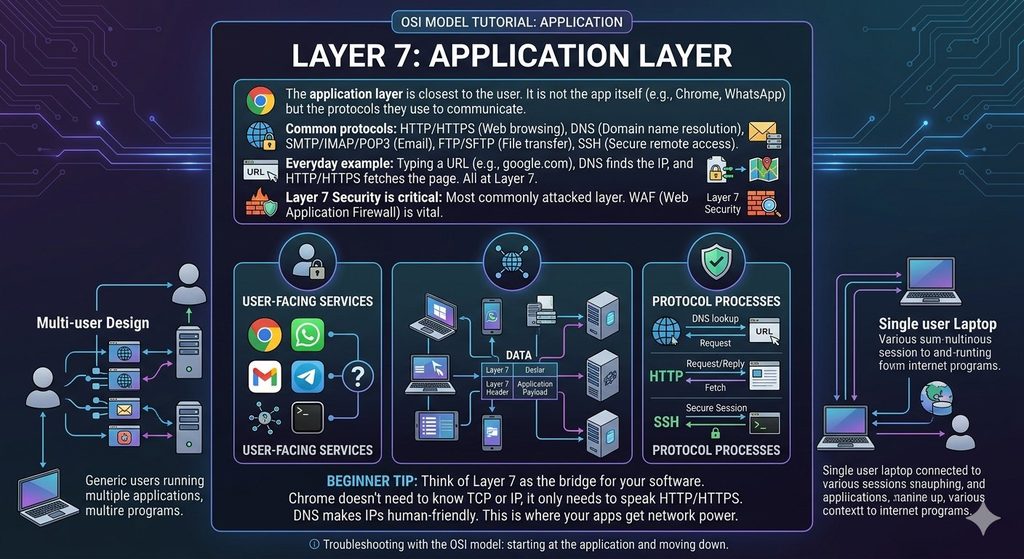
- FTP and SFTP: file transfer
- SSH: secure remote access
Everyday example: when you type a website address and press Enter, DNS finds the server’s IP address and HTTP or HTTPS requests the web page. All of this happens at the application layer.
Because this layer faces users and the internet directly, it is also the most commonly attacked layer in the OSI model. That is why Layer 7 security, including the web application firewall, receives so much attention.
How Data Travels Through the OSI Layers
Now that you know all seven layers, let us follow one message from sender to receiver. This process is called encapsulation on the sending side and de-encapsulation on the receiving side.
On the sender’s computer (top to bottom):
- Application: you click “send” on an email, and the data is created.
- Presentation: the data is encoded, compressed, or encrypted.
- Session: a session is opened or maintained for the conversation.
- Transport: the data is split into segments and given port numbers.
- Network: each segment is placed in a packet with source and destination IP addresses.
- Data Link: each packet is placed in a frame with source and destination MAC addresses.
- Physical: the frames are converted to bits and sent as electrical, light, or radio signals.
At each step, the layer adds its own information, called a header, around the data, like wrapping a gift in several layers of paper.
On the receiver’s computer (bottom to top): the process runs in reverse. The physical layer receives the signals, each layer removes its own header and passes the contents upward, and finally the application receives the original message.
This is why the OSI layers are so useful. Each layer only needs to understand its own header and its own job.
OSI Layers in Cyber Security
Security professionals use the OSI model and its layers to think about where attacks happen and where to defend. An attack at one layer needs a different defence from an attack at another layer. Here are typical examples:
| Layer | Example threats | Typical defences |
|---|---|---|
| 7 Application | SQL injection, cross-site scripting, HTTP floods, malicious bots | Web application firewall, input validation, secure coding |
| 6 Presentation | Weak encryption, SSL stripping, malformed data | Strong TLS settings, certificate management |
| 5 Session | Session hijacking, stolen session tokens | Secure cookies, session timeouts, multi-factor authentication |
| 4 Transport | SYN floods, port scanning | Stateful firewalls, rate limiting, closing unused ports |
| 3 Network | IP spoofing, ICMP floods, route attacks | Packet filtering, access control lists, intrusion prevention |
| 2 Data Link | MAC spoofing, ARP spoofing, VLAN attacks | Port security, VLAN segmentation, dynamic ARP inspection |
| 1 Physical | Cable tapping, theft, jamming, power cuts | Locked rooms, cable protection, backups and surveillance |
This table shows an important lesson: a firewall alone cannot protect everything. A strong network needs protection at several layers at once.
Conclusion
The OSI model gives a clear and logical way to understand how computers communicate. Its seven layers, which are physical, data link, network, transport, session, presentation, and application, each handle one part of the journey, from raw signals on a cable to the web page on your screen. Together they explain how data is packaged, addressed, delivered, protected, and understood.
Beyond theory, the model is a practical tool. It helps you troubleshoot problems step by step, understand the WAF OSI layer and decide where to place firewalls, plan layered defences in cyber security, and make sense of cloud networking on platforms such as AWS. Whether you are preparing for an exam, starting a career in IT or cyber security, or simply curious about how the internet works, learning the OSI model is one of the best investments you can make.
Start by memorising the order of the layers, then practise matching real protocols and devices to each one. With a little repetition, the 7 layers will quickly become second nature.
Frequently Asked Questions (FAQs)
1. What is the OSI model in simple words?
The OSI model is a framework that explains how data travels from one computer to another over a network. It divides the process into seven layers, and each layer performs a specific job, from sending raw signals to delivering data to an application.
2. What are the 7 layers of the OSI model?
From top to bottom, the layers are Application (7), Presentation (6), Session (5), Transport (4), Network (3), Data Link (2), and Physical (1). Each one handles one stage of network communication.
3. How can I remember the OSI layers easily?
Use a memory phrase. From Layer 7 to Layer 1, you can use “All People Seem To Need Data Processing.” From Layer 1 to Layer 7, you can use “Please Do Not Throw Sausage Pizza Away.”
4. Why is the OSI model important?
It gives network engineers, students, and security teams a common language. It also makes complex networks easier to learn, helps find the source of problems, and shows where different security controls belong.
5. What is the difference between the OSI model and the TCP/IP model?
The OSI model has seven layers and is mainly a teaching and reference model. The TCP/IP model has four layers and describes the protocols the internet actually uses. OSI separates the application, presentation, and session functions, while TCP/IP combines them.
6. How is the OSI model used in cyber security?
Security teams map attacks and defences to each layer. For example, ARP spoofing targets Layer 2, IP spoofing targets Layer 3, SYN floods target Layer 4, and SQL injection targets Layer 7. Knowing the layer helps choose the right protection.
7. At which OSI layer does a WAF work?
A web application firewall works at Layer 7, the application layer. It inspects HTTP and HTTPS requests and blocks attacks such as SQL injection and cross-site scripting that a normal network firewall cannot see.
8. What are the 7 layers of network security?
The term usually means applying security at each of the seven OSI layers: physical protection, data link controls such as VLANs, network firewalls, transport port controls, session management, encryption, and application security. It is based on the idea of defence in depth.
9. How does the OSI model apply to cloud computing and AWS?
In the cloud, the provider manages the physical and much of the data link layers, while you manage the virtual network, security rules, and applications. In AWS, for example, VPC and route tables relate to Layer 3, security groups and Network Load Balancers to Layer 4, and Application Load Balancers and AWS WAF to Layer 7.
10. Is the OSI model still relevant today?
Yes. Although real networks run on TCP/IP, the OSI model remains the standard way to teach networking, troubleshoot problems, and discuss security. It also appears in many IT and cyber security certification exams.